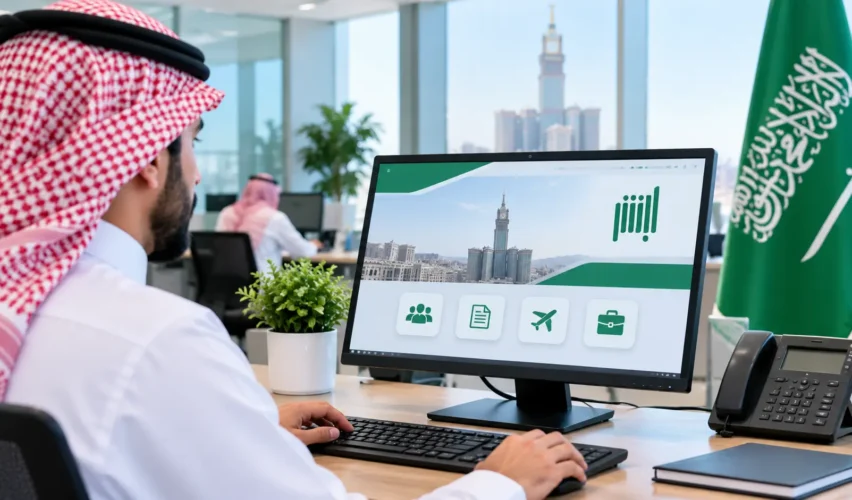
Absher Business is the Ministry of Interior’s electronic services platform for businesses and establishments. Owners use it to issue and renew Iqamas for the workers they sponsor, issue and cancel exit and re-entry and final exit visas, transfer workers, change a worker’s profession, update passport details and authorize other people to act for the establishment. If you already have an activated Absher account, you log in to Absher Business with the same credentials.
The official FAQ describes the platform as serving individual establishments whose workforce does not exceed 100 workers, so check whether your establishment qualifies. Not every service is available to every establishment, and each service has its own conditions. This guide follows the order of a real task: understand the platform, log in, pick a service, check the conditions and submit. It is for information only, is not affiliated with Absher or the Ministry of Interior, and does not process any transaction. Complete every action on the official platform.
What Is Absher Business in Saudi Arabia?
Absher Business is part of Absher, the Ministry of Interior’s government services platform. The official FAQ says it provides services to individuals’ establishments, and that more services will be added gradually.
It works alongside other bodies:
- The Ministry of Interior operates the platform and the residency and visa services on it.
- The establishment owner sponsors the workers and uses the services for them.
- The Ministry of Human Resources and Social Development gives the labor-side approval for services such as employee transfer and profession change. Our guide to the Qiwa Platform covers that side.
Absher Business is not a payroll, accounting, recruitment or complete HR management platform. It handles specific government transactions for sponsored workers.
Who Can Use Absher Business?
The main users are:
- Establishment owners, who hold the sponsorship of the workers.
- Business representatives and HR managers, who act on the owner’s behalf.
- Authorized users, who are registered Absher users with permission for selected services.
The FAQ says the platform serves individual establishments with a workforce of up to 100 workers. Larger or differently structured establishments may use other channels, so confirm your own eligibility on the portal before you plan around it. Staff access works through the authorization service rather than by sharing the owner’s login.
Difference Between Absher Individuals, Absher Business, and Absher Government
| Platform | Who it serves | What it is for |
| Absher Individuals | Citizens, residents and visitors | Personal government services |
| Absher Business | Establishment owners and their authorized users | Employee Iqama, visa, transfer and related services |
| Absher Government | Government-sector employees | Services for government-sector employees |
The portal links back to Absher Individuals, and both use Absher accounts.
How to Log in to Absher Business?
- Open the official Absher Business portal.
- Choose Login.
- Sign in with your Absher username or ID number and password, or choose the option to log in via Nafath.
- Open My Business Services to see the services available to your establishment.
If you forget your password, use the Forgot Password option. The portal also points to the reset option in Absher Individuals. For help with Absher e-services, the portal lists the number 920020405. The login options can change, so follow what the live page shows.
The FAQ says the Business services were not available in the Absher smartphone app, but the portal footer links to an Absher Business app in the app stores. Check which services the app currently offers before you rely on it.
How to Register for Absher Business?
You do not need a separate Absher Business registration if you already have an Absher account. The FAQ says that registered and activated users can log in with their Absher credentials. If you have no account, or your account is not activated, you register and activate through Absher Individuals first, then use the same login for Absher Business.
Keep these points in mind:
- The account must be registered and activated before the platform accepts it.
- Do not share your main Absher password with employees. Use the authorization service instead.
- Keep your registered mobile number and email address current, because verification codes go to them.
What Services Does Absher Business Offer?
The official services directory lists the services below. Availability depends on your establishment.
Iqama Issuance and Renewal
Establishment owners can issue and renew the resident identity (Iqama) for workers they sponsor. These are separate services in the menu. The Iqama Renewal guide lists conditions that include payment for the chosen period, no unpaid traffic violations, a valid passport, a worker who is not registered as absent, fingerprints and a photo registered in Absher for the worker and family members over six, medical insurance and a valid work permit. It also lists conditions about family members.
Exit and Re-entry Visa Services
Owners can issue single or multiple exit and re-entry visas for the workers they sponsor, and cancel visas they issued. This lets an eligible resident leave Saudi Arabia and return.
Final Exit Visa Services
A final exit visa is for a resident’s permanent departure. Owners can issue and cancel it. A separate service issues a final exit visa during the 90-day probation period for workers who have not been issued a residency permit. The next sections explain how these differ.
Employee Transfer Services
The Services Transfer service lets an owner transfer a worker’s services to another employer online. The FAQ says the transfer happens after the Ministry of Labor’s electronic approval.
Profession or Occupation Change
This service updates the profession recorded for a worker, again after the labor ministry’s electronic approval.
Employee Passport Information Updates
After a worker renews a passport, the employer can update the passport information online. The worker cannot do it from his or her own account.
Employee Authorization Services
The owner can delegate selected services to another registered Absher user for a period the owner sets. Separate services cover accepting or rejecting an authorization and viewing or cancelling one.
Muqeem Print Request and Document Delivery
The Muqeem Print Request service lets an owner extract and print the basic information of workers. The Document Delivery service lets an owner request delivery of some documents that were processed through Absher. The Saudi Post-delivery takes 3 to 5 working days, according to the service guide, and the delivery provider’s charges are payable. The Iqama delivery request must be made within 90 days of execution, and a vehicle registration document within 20 days. If a delivery matters to you, keep your address current. Our National Address guide explains how.
Other Business Services
The directory also lists an Update Address service, which adds or updates the address used for VAT invoices issued through the Zakat, Tax and Customs Authority and for delivery of government documents. It lists Istemara issuance, which is for new vehicle dealerships registering vehicles, and a vehicle scrap service. Most ordinary employers do not need these two.
How to Authorize an Employee on Absher Business?
- Sign in to Absher Business.
- Open My Business Services and select Issuance of Authorization.
- Choose the person you are authorizing.
- Choose the services you want to delegate and the period.
- Submit the authorization.
- The authorized person signs in and uses Accepting/Rejecting Authorization to accept or reject it.
The official service guide sets these conditions:
- The authorized person must be a registered and activated Absher user.
- If the authorized person is a resident, he or she must be under the authorizer’s sponsorship.
- There must be no other pending authorization registered under the authorized person’s ID.
- A pending authorization waits for 7 days. If it is not accepted in that time, it is canceled automatically.
- An SMS goes to the authorizer’s mobile phone to show whether the authorization was accepted or rejected.
Use Viewing and Cancelling Authorization to review or end an authorization.
How to Renew an Employee’s Iqama Through Absher Business?
- Sign in and open My Business Services, then Iqama Renewal.
- Select the worker whose Iqama you want to renew.
- Choose the renewal period and pay for it.
- Confirm the request and check the result.
Before you start, check the conditions in the current Iqama Renewal guide. A worker with an unpaid traffic violation, an invalid passport or an absent status may be blocked. The conditions can change, so treat this list as a starting point.
How to Issue an Exit and Re-entry Visa Through Absher Business?
- Sign in and open My Business Services, then Issuance of exit/re-entry visa.
- Select the worker and the visa type, single or multiple.
- Pay the visa fees.
- Confirm and check the result.
The service guide lists conditions that include:
- The sponsor, worker and family members must not be registered as dead, runaway or with an Istiqdam violation.
- Visa fees and traffic violations must be paid.
- There must be no unused visa that was not canceled and no valid visa already issued.
- The person must be inside the Kingdom.
- The worker’s passport must be valid for 90 days or more.
- Fingerprints must exist for males aged 18 and older.
- The primary visa holder must travel with the family members on his or her passport.
To cancel an exit and re-entry visa, use the separate cancellation service.
How to Issue a Final Exit Visa Through Absher Business?
A final exit visa is for permanent departure. An exit and re-entry visa lets the resident return. The two are separate services with different effects, so choose carefully.
- Sign in and open My Business Services, then Issuance of final exit visa.
- Select the worker.
- Confirm the request and check the result.
The final exit visa guide lists conditions that include no unpaid traffic violations, no valid visa already issued, the worker being inside the Kingdom, a passport valid for 90 days or more and no vehicle registered in the system. It also says the visa must be used within two months of issuance or fines may apply, and that the employer is responsible for destroying the worker’s Iqama.
Cancellation: The cancellation guide says a final exit visa must be canceled within 60 days of issuance, or fines may be applied under the regulations.
Probation period: The separate probation service applies to the 90-day probation period for workers without an issued residency permit. Its conditions include a worker who is not registered as dead or absent and who is inside the Kingdom, no unpaid traffic violations, and a passport valid for 60 days or more.
Absher Business Fees and Subscription Costs
Three kinds of charge can apply, and they are separate:
| Charge | What it means |
| Annual platform subscription or package | The employer subscribes to a package for access to the platform |
| Value-added transaction fees | A fee for implementing certain services through Absher Business |
| Government and delivery charges | Iqama and visa fees, and the delivery provider’s charges for document delivery |
Absher Business explained on its X account in January 2025 that its fees for value-added services are not part of the employer’s annual package, as Saudi Gazette reported. Reports at that time listed specific amounts for several services. This guide does not repeat them, because fees can change, and I found no current official page that lists a fixed subscription price. Check the amount shown on the portal before you pay, and do not rely on an old figure. Work permit fees are a separate matter, covered in our Qiwa guide.
Difference Between Absher Business, Qiwa, and Muqeem
| Platform | Operated by | Typical use |
| Absher Business | Ministry of Interior | Iqama, exit and re-entry visas, final exit visas, authorizations and related business services |
| Qiwa | Ministry of Human Resources and Social Development | Employment contracts, work permits, labor-side transfer and profession-change requests, Nitaqat |
| Muqeem | General Directorate of Passports | Passport and residency transactions for establishments’ resident workers |
They connect in practice. A transfer or profession change needs labor approval, which comes through the labor system, and the residency record is then updated through the Interior Ministry’s services. Our Etimad guide covers a different platform, for government procurement.
Common Absher Business Login and Service Problems
| Problem | Possible reason and what to try |
| Cannot log in | The account may not be activated, or the credentials may be wrong. Try Forgot Password, or the Nafath option. |
| Forgotten password | Use the reset option on the portal. It needs your registered mobile number. |
| Inactive Absher account | Register and activate the account through Absher Individuals first. |
| No access to establishment services | The establishment may be outside the eligibility described in the FAQ, or the account is not linked to it. Confirm on the portal. |
| Employee not appearing | The worker may not be under your sponsorship, or the record may need updating. |
| Iqama renewal blocked | An unpaid traffic violation, an invalid passport, an absent status or a missing work permit can block it. |
| Visa not issued | Check the conditions, such as passport validity, an unused visa, fingerprints and fees. |
| Authorization pending | The authorized person must accept within 7 days, or it is canceled. |
| Passport update fails | The guide limits updates, for example by the current passport’s remaining validity and the number of updates in a period. |
| Payment problem | Keep the payment record and contact support. |
These are possible causes, not guaranteed fixes. For account-specific cases, call the number listed on the portal, 920020405.
Frequently Asked Questions
Who can use Absher Business?
Establishment owners, their representatives and authorized users. The FAQ describes individual establishments with up to 100 workers, so confirm your eligibility.
What services are available through Absher Business?
Iqama issuance and renewal, exit and re-entry visas, final exit visas, services transfer, profession change, passport information update, authorization, Muqeem print requests, document delivery and a few other services.
Can I cancel a final exit visa?
Yes, through the cancellation service, and the guide says it must be done within 60 days of issuance.
How can I transfer an employee?
Use Services Transfer, after the labor ministry’s electronic approval.
How can I change an employee’s profession?
Use the occupation change service, after the labor ministry’s electronic approval.
How do I authorize another employee?
Use Issuance of Authorization, choose the person and the services, and the person accepts within 7 days.
Can an authorized user perform selected services?
Yes, the owner chooses which services to delegate and for how long.
Does Absher Business require an annual subscription?
Reports describe an annual package, and fees for value-added services are separate. Confirm the current package and price on the portal.
Are there additional charges for individual services?
Yes, some services carry fees, and document delivery has its own charges. Check each service before you pay.
What should I do if Absher Business is not working?
Check your account activation and credentials, try the reset or Nafath option, and call the number on the portal.
Final Thoughts
Confirm your establishment’s eligibility first, keep your account activated, and use authorization instead of sharing a password. Check each service’s current conditions before you submit, pay only the amount the portal shows, and keep records of every transaction.