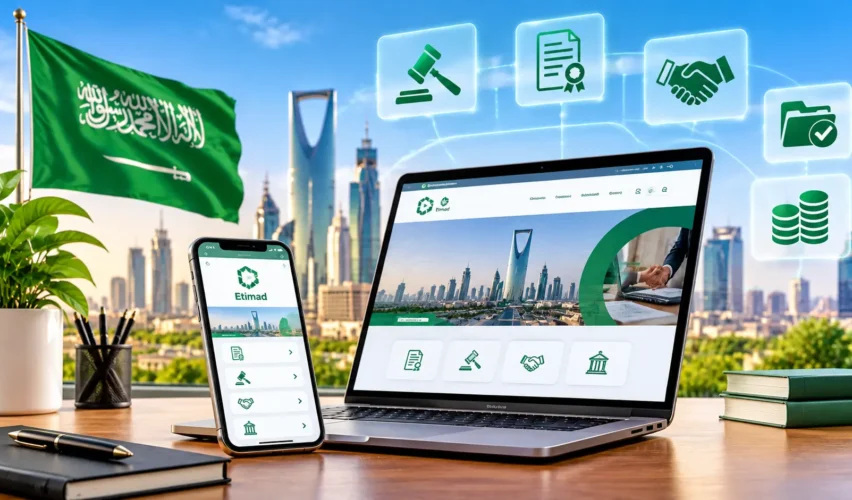
The Etimad Platform is Saudi Arabia’s government platform for financial services and procurement. The National Center for Government Resource Systems (NCGR) develops and manages it, and it works under the Ministry of Finance. Businesses use it to find and bid on government tenders and to track financial claims. Government entities use it to run budgets, tenders, contracts and payments. Government employees use it to review their financial rights.
To use Etimad, you open the official site, choose the right login category (Government, Business or Individuals) and, if you are inside the Kingdom, sign in through Nafath. This guide follows that order: what Etimad is, who uses it, how to log in, how to find and bid on tenders, and how to track claims. It is for information only, it is not affiliated with Etimad, and it does not process any transaction. Complete every account and procurement action on Etimad’s own website.
What Is the Etimad Platform in Saudi Arabia?
Etimad is an electronic platform that connects government entities, the private sector and individuals. NCGR says its goals include digital transformation of services, stronger local content, wider participation by small and medium enterprises, and more transparent and efficient spending. According to the Ministry of Human Resources and Social Development, the platform launched in 2018 to unify and simplify government tenders and procurement across all sectors.
Several bodies sit behind it:
- NCGR develops and manages the platform. A Cabinet decision of 4 Rajab 1442 AH (16 February 2021) turned the Ministry of Finance’s National Systems Agency into this independent center, as the NCGR FAQ explains.
- The Ministry of Finance is the government body the platform serves and works under. Etimad’s own pages show it is supervised by the Ministry.
- The Government Tenders and Procurement Law and its implementing regulations set the rules. Article 12 requires government entities to publish annual procurement plans that match their approved budgets. You can read the law on the Bureau of Experts site.
Etimad is more than a tender-search website. NCGR lists its services as a services directory, revenue collection, payments, employee financial services, budgeting, data and business intelligence, contracts, government tenders and procurement, bill registration, and ERCAB orders.
Who Can Use the Etimad Platform?
The login page offers three categories, and each one leads to different services.
| User | Login category | What they use Etimad for |
| Government entities | Governmental Agencies | Publishing tenders, evaluating bids, awarding contracts, budgets and payments |
| Businesses, suppliers and contractors | Business | Viewing tenders, buying tender documents, sending inquiries, submitting bids, tracking claims |
| Individuals, including government employees | Individuals | Reviewing eligible financial rights and other individual services |
The NCGR FAQ also names financial institutions as beneficiaries. Foreign companies can use the platform too, which is covered below.
What Services Does the Etimad Platform Offer?
Government Tenders and Procurement
The Ministry of Finance describes the tender cycle as offering tenders, purchasing the tender documents, submitting bids, examining bids, technical evaluation and awarding. For the private sector, the official services include:
- Browse available tenders: registered suppliers, government entities and visitors can see detailed tender information without contacting the entity.
- Future tenders: suppliers can see upcoming tenders that government entities announce.
- Purchase tender documents: registered suppliers buy the tender documents and specifications booklet.
- Tender inquiries: suppliers send questions about a specific tender.
- Submit a bid: suppliers submit proposals electronically.
- Tender status tracking: suppliers follow the status of their bids.
- Direct purchase invitations: registered suppliers accept or reject an invitation from a government entity.
Government entities also use Etimad to select the winning bid electronically.
Contracts and Awards
Per Saudipedia, the platform lets contracts be registered electronically and approved by the Ministry of Finance and the government entity. It also registers matters related to contracts and awards, and sends contracts that need approval to the Ministry.
Payments and Financial Claims
Suppliers can submit financial claims related to invoices, and government entities prepare and approve payment orders. The claims process is explained in its own section below.
Budget Management
For government entities, Etimad supports budget reporting, budget presentation with projects and items, electronic budget transfers under the budget instructions, and budget planning.
Financial Rights and Revenue Collection
Government employees can review their financial rights, such as salary payrolls, through Etimad Individuals. NCGR also says the platform supports non-oil government revenue collection for government agencies.
How to Log in to the Etimad Platform?
Use the official site, etimad.sa, which leads to the sign-in page. NCGR and the Ministry of Finance both link to it, so start from their pages if you are unsure about a link. Etimad does not use a gov.sa address for its sign-in page, so be careful with lookalike sites.
- Open the official Etimad sign-in page.
- Choose the tab that fits you: Governmental Agencies, Business or Individuals.
- If you are inside Saudi Arabia, sign in for the first time through Nafath, the national single sign-on. Confirm the number shown on the page in your Nafath app and continue.
- If you cannot use the Nafath app, the page offers biometric authentication with your national ID or Iqama number.
- Confirm your contact information. Etimad’s FAQ says you then receive a text message with a username and password.
- Verify your email address. Etimad sends a verification link to the email address on your account.
Users outside the Kingdom log in with a username and password. Etimad says users can log in from outside Saudi Arabia.
How to Register or Access an Etimad Business Account?
Business access is tied to the business’s identity. Etimad does not publish one registration route that fits every company, so use the current instructions on the platform. These points are supported:
- Companies with a Saudi commercial registration: use the Business tab and sign in through Nafath. Access goes through the commercial registration owner or an authorized delegate. Additional users are authorized through the Saudi Business Center, subject to the current authorization process.
- The Supplier Registration service: The Ministry of Human Resources describes it as letting companies and institutions register electronically and access data sources through integration with relevant authorities.
- Foreign suppliers without a Saudi commercial register: the sign-in page has a link to create a new account for foreign suppliers. Etimad says foreign companies generally do not need a regional headquarters in Saudi Arabia, although some services require one.
Keep your commercial registration and contact details current, because the platform relies on them. If you also need an up-to-date business address, see our guide to the Saudi National Address.
How to Find Government Tenders on Etimad?
Government entities publish the same steps on their own sites. Here is the common route:
- Open the Tenders section of Etimad.
- Select Tenders, then Search.
- Open Advanced Search.
- Select the government entity you are interested in.
- Choose whether you want current tenders, closed tenders or future tender projects.
- Open a tender to read its details and deadlines.
The Ministry of Finance’s tender list uses filters such as the reference number, tender number, government agency, area, tender type, activity and the last date for offers. Check each tender’s status and deadline before you spend time on it. You can also use the Etimad Business app, which NCGR links from its Etimad page.
How to Purchase Tender Documents on Etimad?
Tender documents describe the work, the technical specifications and the conditions. According to the Ministry of Human Resources, the service lets registered suppliers buy the tender documents and specifications and review their details before taking part.
The government entity decides whether a tender’s documents carry a fee, and the tender page shows it. Some are free and others are paid. Read the document first, because it sets the eligibility and submission rules that apply to that tender.
How to Submit a Tender Inquiry Through Etimad?
The National Platform describes the inquiry service as follows:
- Log in and open your subscribed tenders list.
- Select the tender.
- Send your question to the government entity.
- The entity’s tendering and procurement representative reviews it.
- Etimad notifies all registered suppliers once the entity has replied.
Send questions early, and keep them specific. An official reply to one supplier is shared with the others, so do not put confidential information in an inquiry.
How to Submit a Tender Bid Through Etimad?
The bid service lets suppliers who take part in a tender submit their proposals electronically. Requirements differ by tender, so work from that tender’s documents. In general:
- Read the tender documents and note the eligibility conditions.
- Check the technical requirements and the commercial requirements.
- List the mandatory documents and any guarantee the tender asks for.
- Note the submission deadline and any inquiry deadline.
- Prepare the proposal and upload it before the deadline.
- Track the status of your bid afterward.
The government entity then examines the bids, committees evaluate them technically, and the winning bid is selected electronically. Per Saudipedia, the platform then notifies the owner of the awarded bid automatically. Do not assume that two tenders ask for the same documents.
How Etimad Handles Contracts and Digital Signatures?
After an award, the contract is registered on Etimad and approved by the government entity and, where required, the Ministry of Finance. The platform records contracts and awards electronically, which reduces paper processing.
How a supplier signs and confirms a contract depends on the contract and the user’s account. I could not confirm a single public description of the digital signature step, so check Etimad’s help center and the contract itself before you rely on a particular method.
How to Submit and Track Financial Claims on Etimad?
The Bills Financial Claims service lets registered suppliers submit a financial claim related to an invoice in local currency and choose the transfer method. The claim passes through three stages, which are the financial claim, the disbursement order and the payment order. Each stage needs approvals under the governance rules.
To track a claim, use the service for reviewing the status of financial claims:
- Select the financial claims service for contracts.
- Select one of your registered claims.
- Review its full details and status.
Both services are free and are offered in English and Arabic. Approvals take time, so Etimad shows the stage a claim has reached, not a guaranteed payment date.
Etimad Platform Fees and Subscription Costs
Several different charges can be confused, so keep them apart.
| Item | What is confirmed |
| Browsing tenders | The National Platform describes the service as open to registered suppliers, government entities and visitors |
| Tender documents | Each government entity decides whether a tender’s documents carry a fee, and the tender page shows it |
| Financial claim services | Listed as free on the National Platform |
| Annual procurement-service subscription | Not confirmed here. Check the current official platform before you pay |
Third-party websites quote different subscription fees, and some say there is no annual fee. Because fees are set by the Ministry of Finance and can change, this guide does not state a subscription price. Confirm the current figure on Etimad or with its support center before paying anyone.
Etimad Services for Individuals and Government Employees
Etimad Individuals serves people rather than companies. The most clearly described service is Financial Rights Self-Inquiry, which lets government employees review their income details received from their entities as payrolls. According to the National Platform:
- Log in to Etimad Individuals.
- Select the Financial Rights service.
- The system shows the last income statement received from your entity.
- Use the advanced search to find other statements.
The service is free and is available in English and Arabic. The NCGR FAQ also says government employees benefit from services on salaries, benefits and government travel.
Common Etimad Login and Service Problems
| Problem | What to try |
| Nafath login does not work | Use the biometric option on the sign-in page, and check that your Nafath app is up to date. Users outside the Kingdom use a username and password. |
| Wrong account category | Go back to the sign-in page and pick the right tab: Governmental Agencies, Business or Individuals. |
| Missing business authorization | Check with the commercial registration owner that you have been authorized as a delegate through the Saudi Business Center. |
| Email not verified | Open the verification link sent to the email address on your account. |
| Tender search shows nothing | Clear filters, select the right government entity and check whether you are viewing current, closed or future tenders. |
| Tender document payment problem | Keep your payment record and contact Etimad support. |
| Bid submission error | Check the deadline and the required files, then contact support before the deadline. |
| Claim status unclear | Open the claim status service and check the current stage. |
Etimad’s sign-in page lists the support number 19990 and links to a help center, a contact page and a complaints form. Check the page for the current details before you call.
Frequently Asked Questions
Who manages the Etimad Platform?
The National Center for Government Resource Systems develops and manages it, and it works under the Ministry of Finance.
How can a company register as a supplier?
The Supplier Registration service lets companies register electronically. Follow the current instructions on Etimad, because requirements can change.
Can foreign companies use Etimad?
Yes. Etimad says users can log in from outside the Kingdom, and foreign suppliers without a commercial register can create an account. Some services require a regional headquarters in Saudi Arabia.
What should I do if Etimad login is not working?
Try the biometric option, check that you chose the right category, and contact Etimad support.
Can a company authorize multiple users?
Yes, subject to the current authorization process through the Saudi Business Center.
Conclusion
Treat the Etimad Platform as a set of linked services, not a single search page. Choose the right login category first, keep your business data current, read every tender’s documents before you pay or bid, and confirm fees on the platform itself. If you are building a business that works with government clients, see our guides on local business directories and promoting your business online in Saudi Arabia. You can also browse the KnowKSA business directory or a city page such as Riyadh. For background on the wider economic program, read about Saudi Vision 2030.